A poster has one job: stop someone mid-scroll or mid-walk long enough to register the message. That’s getting harder in a feed full of moving content, where a flat design competes against video after video for the same few seconds of attention. This is where image to video tools change the equation, turning a static poster into a scene that moves just enough to earn a second look. Dreamina, running on its most advanced video generation model, Seedance 2.5, makes that transformation quick enough to fit into an actual campaign timeline.
Why a poster benefits from a little motion
A poster’s entire message usually lives in a single frozen composition, type, imagery, color, all locked in place. Adding subtle motion doesn’t dilute that message; it extends it. A light sweeping across the type, a silhouette shifting slightly, particles drifting through the scene, these small touches make a static idea feel like it’s already happening, which is often exactly the effect a campaign is trying to create in the first place.
What makes an animated poster actually land
Getting a poster to this point doesn’t require redesigning it from scratch, just describing the motion that already feels implied by the composition. Some common characteristics of poster animations that work best include:
- Movement which helps the composition rather than disassembling it
- Focal point which is obvious at once despite being animated
- Light or particle effects being used sparsely rather than everywhere
- Pacing which can loop or terminate gracefully for social media purposes
How to transform your poster into an animation using Dreamina
Step 1: Import your poster and prompt movement
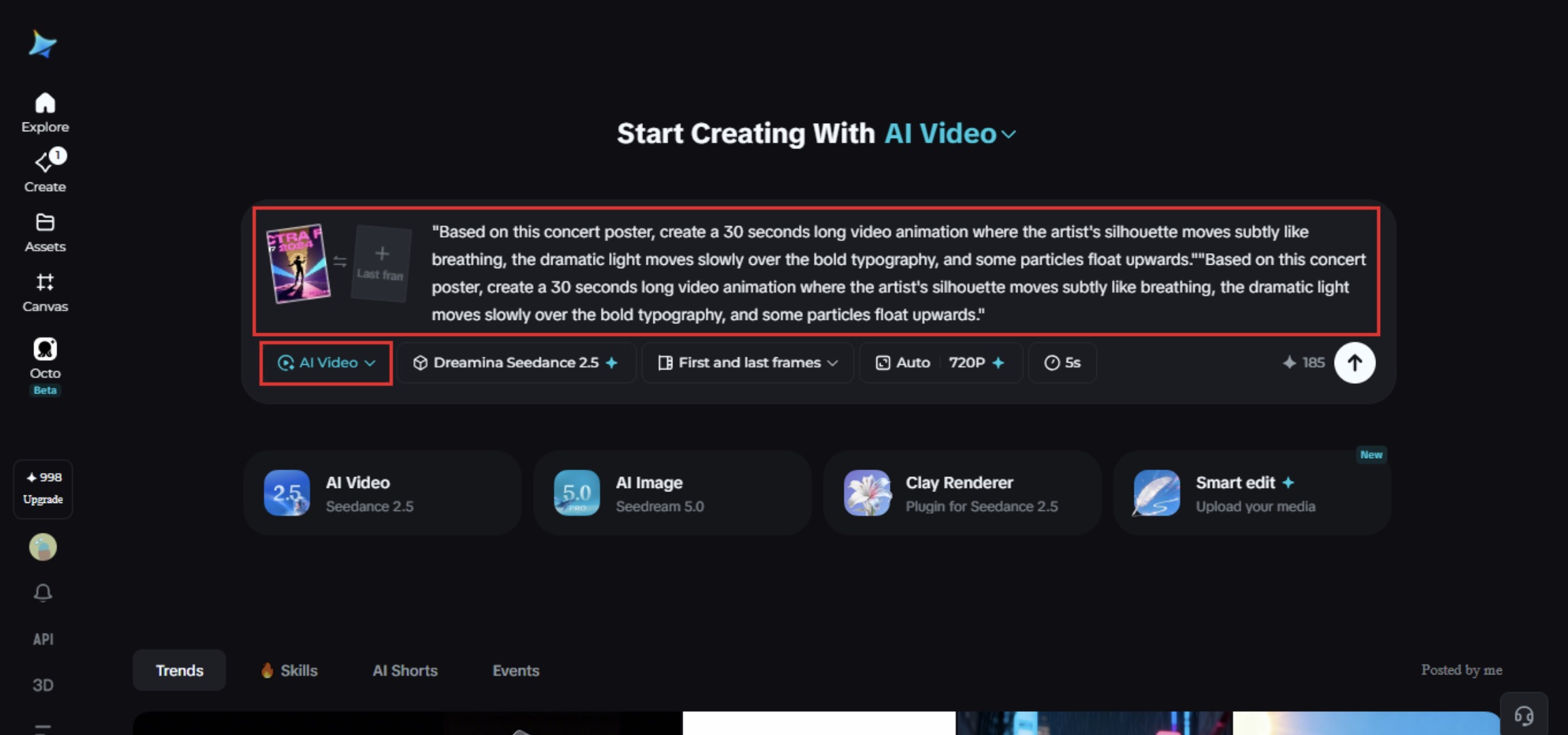
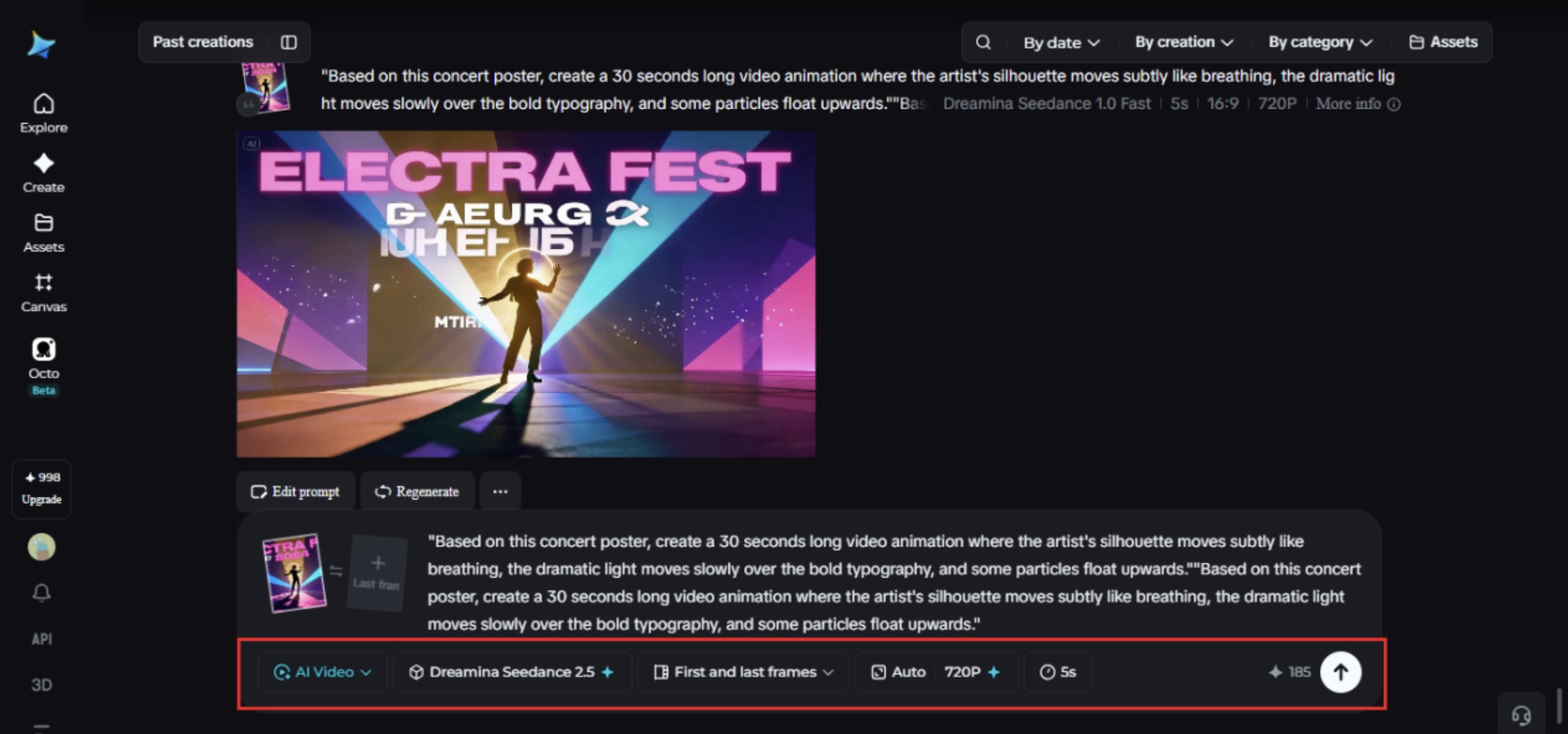
Sign up on Dreamina and head to the „AI Video“ tab. Click „Add reference image“ to import your poster artwork and prompt the animation you would like.
Video prompt: „Based on this concert poster, create a 30-second-long video animation where the artist’s silhouette moves subtly like breathing, the dramatic light moves slowly over the bold typography, and some particles float upwards.“
Step 2: Generate with Seedance 2.5
Choose the Seedance 2.5 model, set your desired video length, then pick an aspect ratio — 9:16 for Stories and mobile placements, 16:9 for a website banner or digital billboard. Click Dreamina’s generate icon and let the poster begin to move.
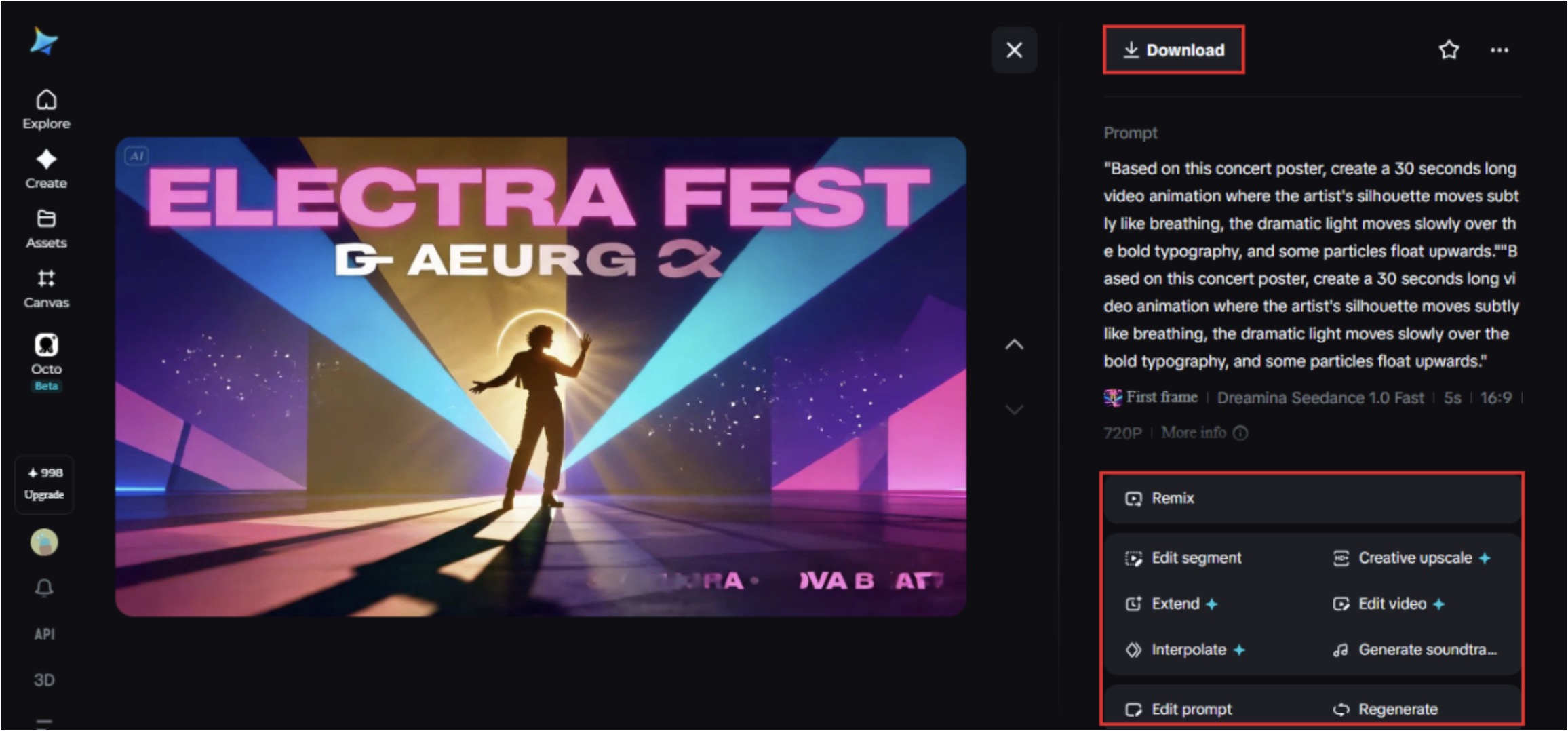
Step 3: Refine and export the final scene
Use Dreamina’s editing tools to finish the piece, Upscale for sharper detail on typography and linework, Generate Soundtrack for an ambient or dramatic audio layer, then export and share it across your campaign channels.
What Seedance 2.5 brings to poster animation
Seedance 2.5, Dreamina’s most advanced video generation model, handles the kind of restrained, atmospheric motion poster content depends on, which is a very different challenge from the fast, high-action motion other formats call for.
Realistic light and texture
Comprehensive quality improvements reduce the flat „AI look“ while adding realistic light and texture, so effects like glow or drifting particles feel grounded rather than artificially layered on top.
Editing without a full redo
Local editing lets a single element — a headline date, a logo, a small graphic — be adjusted without regenerating the whole scene, useful when a campaign detail changes late.
A clean, campaign-ready file
Stray subtitles and unwanted background audio are removed automatically, leaving a clean base file, and extended duration options up to 180 seconds in Ultra-long mode support longer-form promotional content when needed.
Reach across markets
Multilingual support makes it straightforward to adapt a single poster concept for campaigns running across different regional markets without losing accuracy in the text.
Writing prompts that keep the design intact
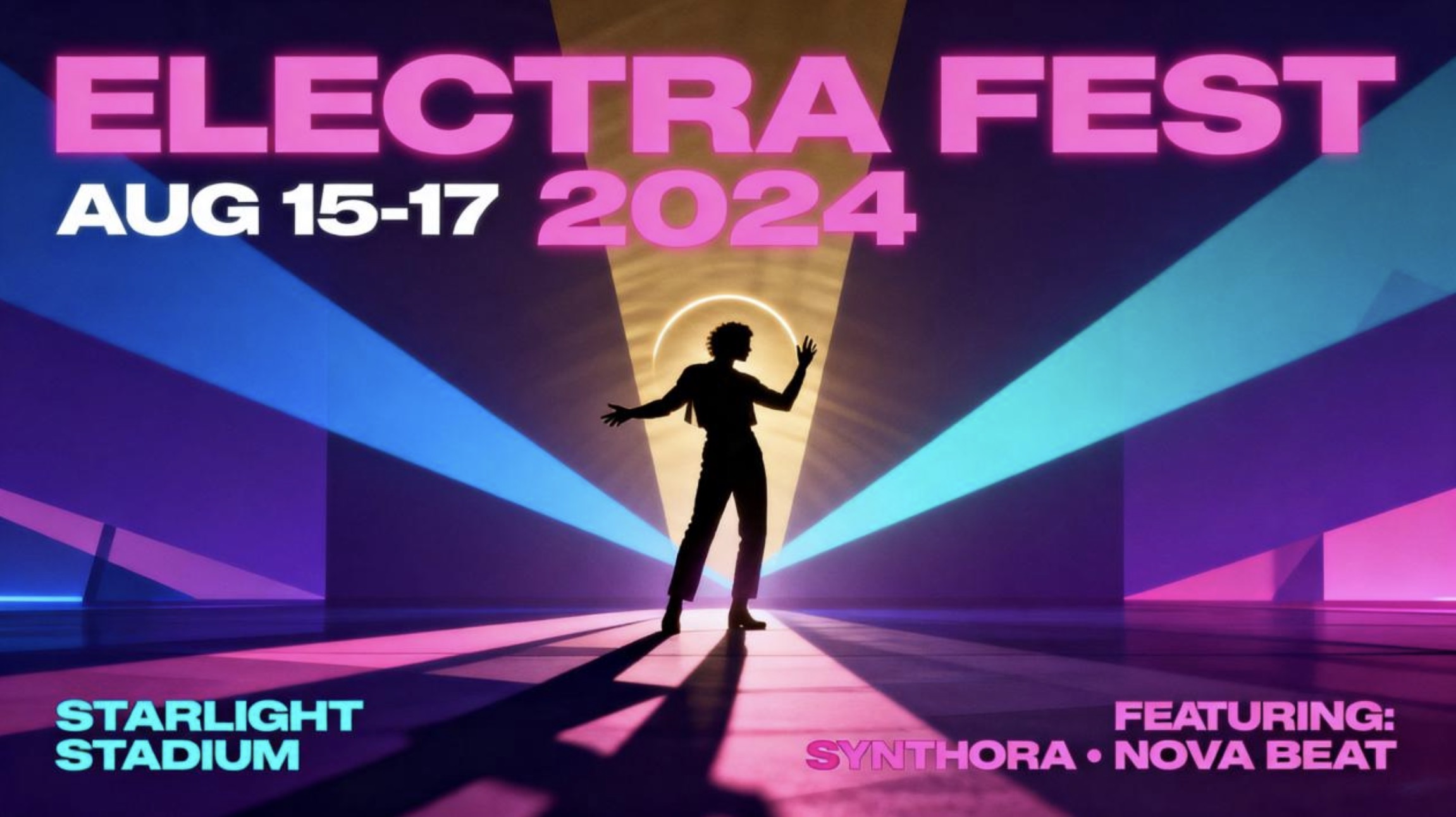
Naming the specific elements that should move, a silhouette, light, particles, and which ones should stay fixed, like the core typography, helps keep the poster’s original composition recognizable once it’s in motion. This kind of specificity also gives the model a clearer sense of restraint, which matters more here than in almost any other category.
Matching the format to where the poster will live
A vertical format suits mobile-first placements like Stories and app takeovers, while a horizontal version reads better on digital billboards, websites, or wide social banners where the composition has more room to breathe. Choosing the right one before generating saves a round of re-exporting later.
Testing out a couple of paces before coming up with
Since motion that is almost not perceptible is doing all the heavy lifting in an animated poster, it is always better to generate a couple of paces before coming up with a final one – one a bit faster and the other a bit slower. A motion that seems perfect when viewing it on a mobile device that moves really fast can seem rushed when viewed on a huge electronic display. A little comparison between the two can be better.
Mistakes that weaken an animated poster
A few habits tend to work against the design:
- Animating too many elements at once, which crowds the original composition
- Losing the typography’s legibility once motion and light effects are layered in
- Skipping a loop-friendly ending, leaving the clip feeling abruptly cut off
- Choosing effects that clash with the event’s actual tone, like adding upbeat sparkle to a somber film poster
Where animated posters get the most traction
This format performs especially well across event promotion, film and music campaigns, retail sales announcements, and social ad placements, where a poster that moves tends to hold attention noticeably longer than one that sits completely still. Venues and promoters have started using it as a low-cost way to give a single key visual a longer shelf life across multiple channels.
A poster was always designed to grab attention in an instant, motion just gives it more time to hold on to it. With Dreamina and the atmosphere-aware precision behind Seedance 2.5, a flat design can finally become the scene it was hinting at, turning a single glance into a moment someone actually pauses for.