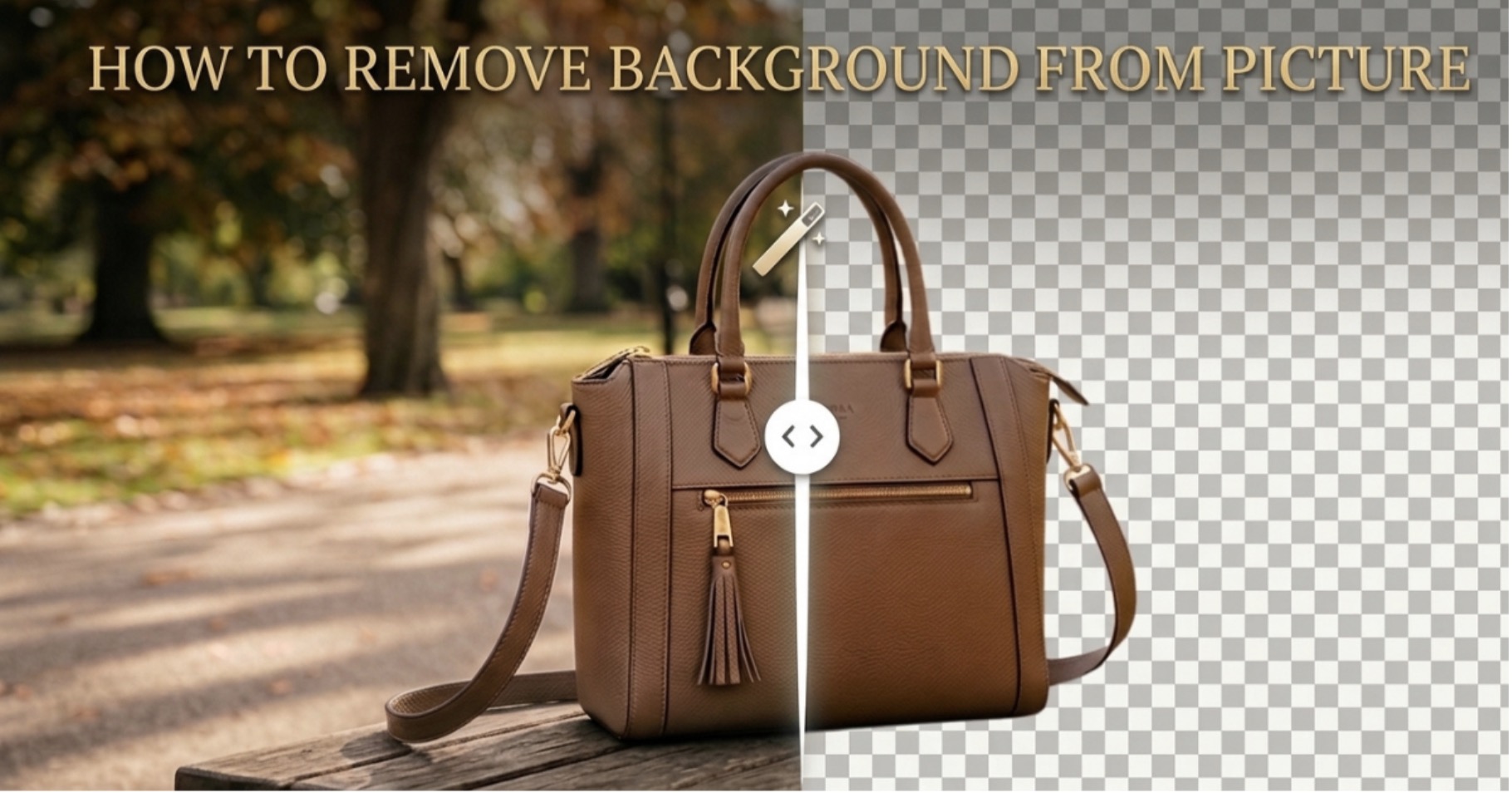
In e-commerce, product photos have only seconds to capture attention and earn clicks. Since buyers scroll quickly, knowing how to remove background from image files can make a significant difference in click-through rates and conversions. Amazon requires main product images to have a pure white background (RGB 255, 255, 255), while Shopify sellers benefit from clean and consistent product visuals. Cluttered or unprofessional backgrounds can reduce buyer trust and make products less appealing. HitPaw FotorPea offers an AI-powered solution for fast and accurate background removal, whether you’re editing a single hero image or hundreds of product photos. This helps e-commerce sellers create polished visuals efficiently while saving valuable editing time.
Why E-Commerce Sellers Need a Dedicated AI Background Remover
Save Time on High-Volume Editing
Manually clipping product images in Photoshop, layer by layer, can eat up hours for a single seller managing dozens of listings, and it gets worse with a full catalog. An AI-driven background remover can process the same batch of images in a fraction of the time, freeing sellers to focus on sourcing, pricing, and marketing instead of pixel-pushing.
Precision on Complex Details
Not every product is a simple square box. Fine details like flyaway hair on a wig listing, sheer fabric on apparel, the reflective edges of glassware, or the intricate cutouts of jewelry all demand studio-grade accuracy. A generic or low-quality tool tends to leave jagged edges or eat into fine details, something that’s immediately obvious to a shopper zooming in on a listing.
Platform Compliance
Amazon’s pure white background mandate isn’t a suggestion; automated systems actively check for compliance, and non-conforming images can get a listing suppressed without warning. A dedicated AI tool makes it simple to hit that exact RGB 255, 255, 255 standard consistently, without manually eyeballing color values in every edit.
How to Remove Background from Image for Amazon & Shopify (HitPaw FotorPea)
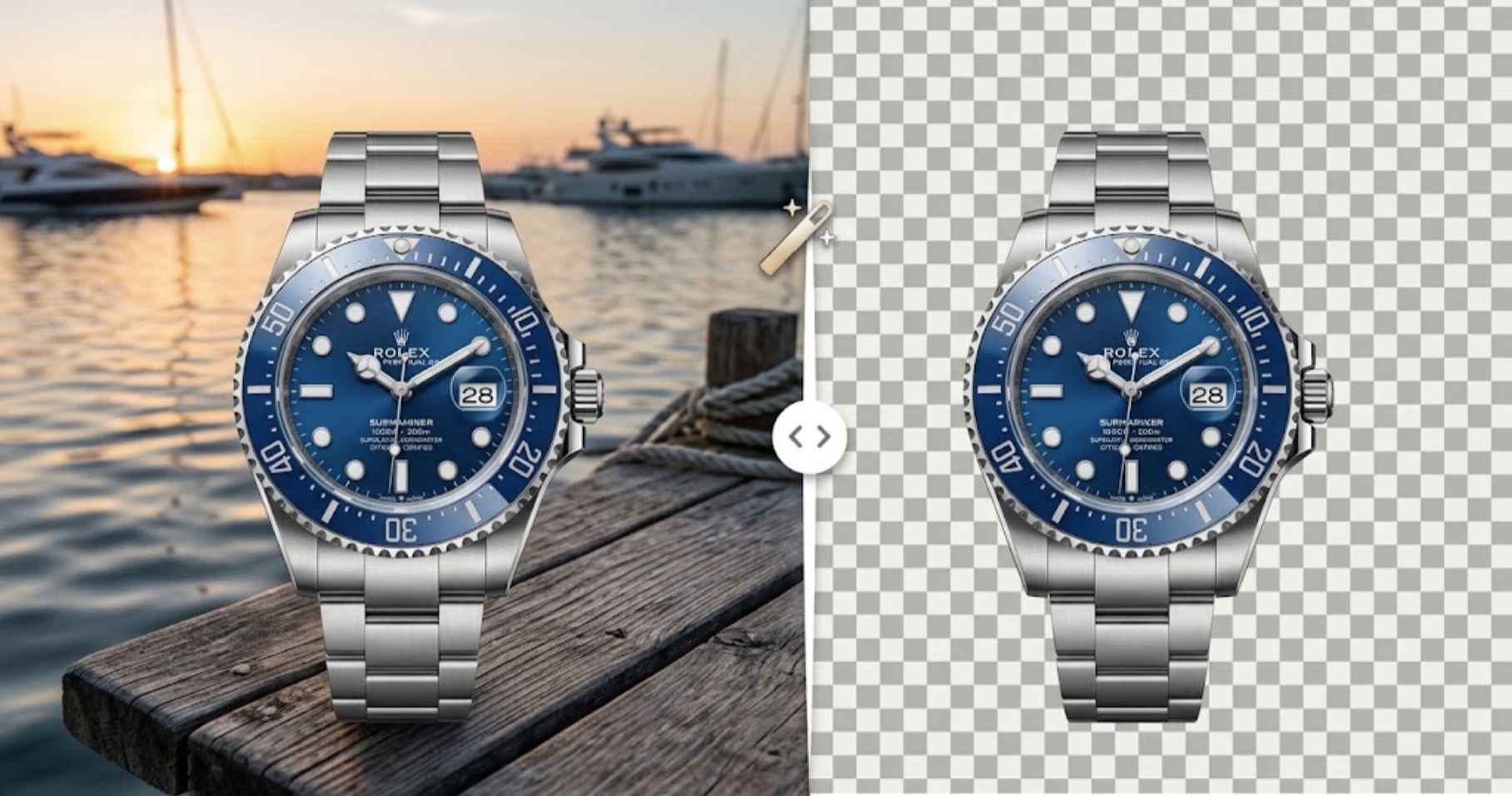
Your product photo is the first thing buyers notice before they read your title or bullet points, and a messy or inconsistent background can quietly cost you sales on Amazon and Shopify. If you’re wondering how to remove background from image files quickly and professionally, HitPaw FotorPea makes the process simple. Its AI background remover accurately detects product edges and creates clean cutouts without tedious manual masking. You can then add a solid colour, custom backdrop, or studio-style background to meet marketplace standards. It also supports batch processing, making it easy to prepare multiple product images for your full catalogue. Here’s exactly how to do it, step by step.
Step by Step Guide to Remove Background from Image:
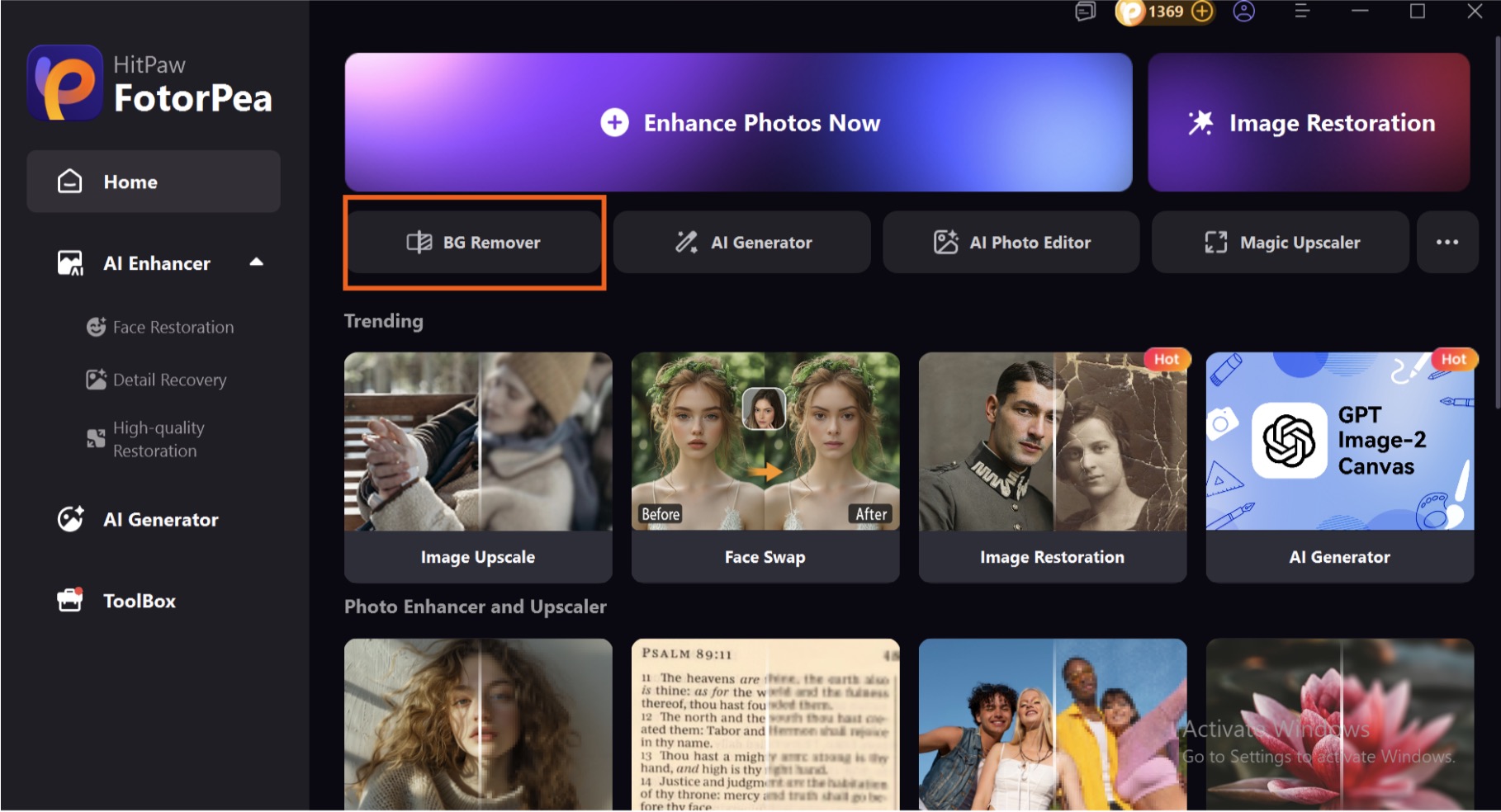
Step 1: Download & Launch HitPaw FotorPea
Download and install FotorPea from the official website of HitPaw and click on BG Remover to start removing background for Amazon & Shopify Listings.
Step 2: Upload Your Product Image
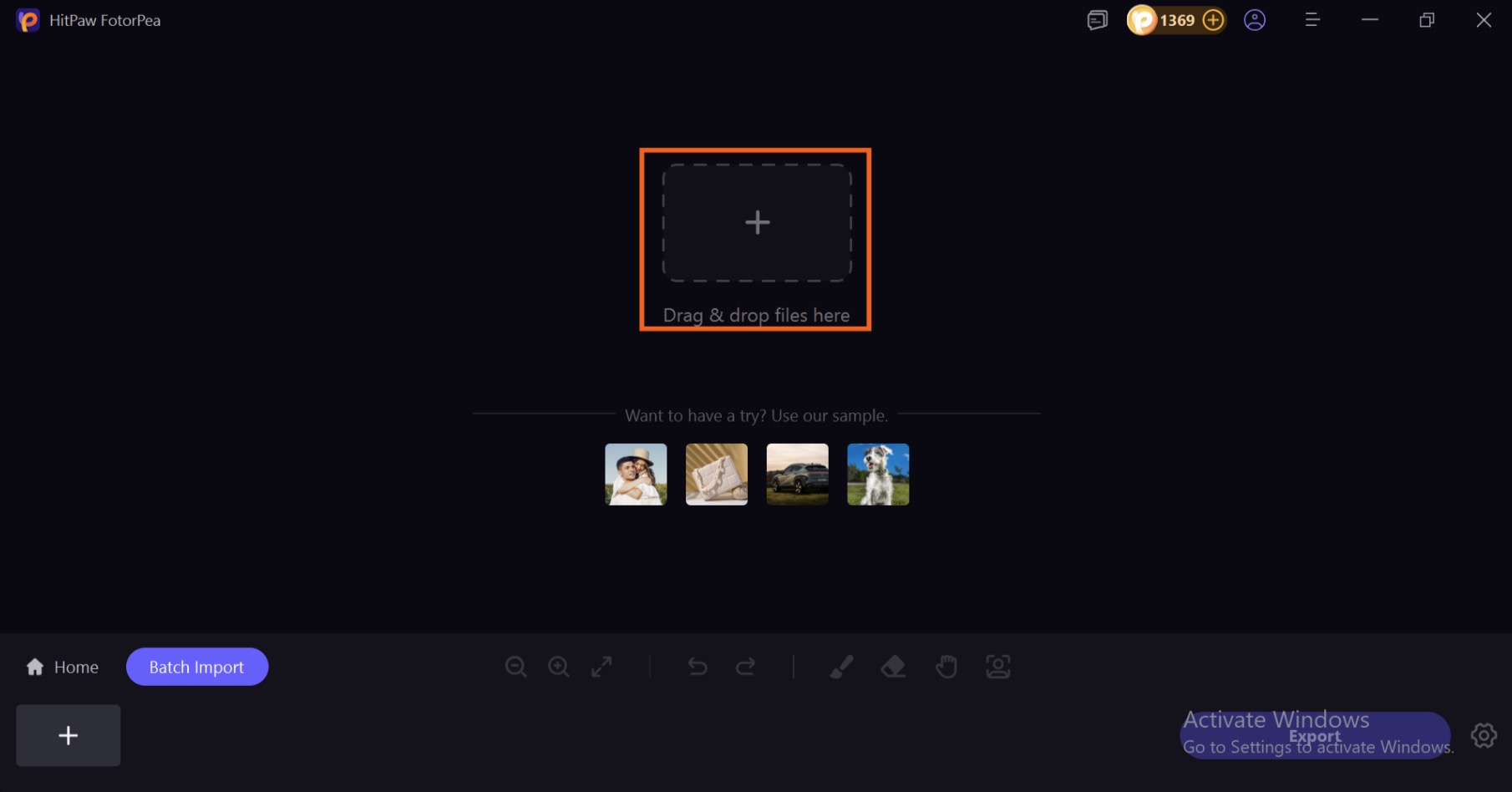
Click on + icon to import your product or you can simply drag and drop your product in FotorPea to start removing background.
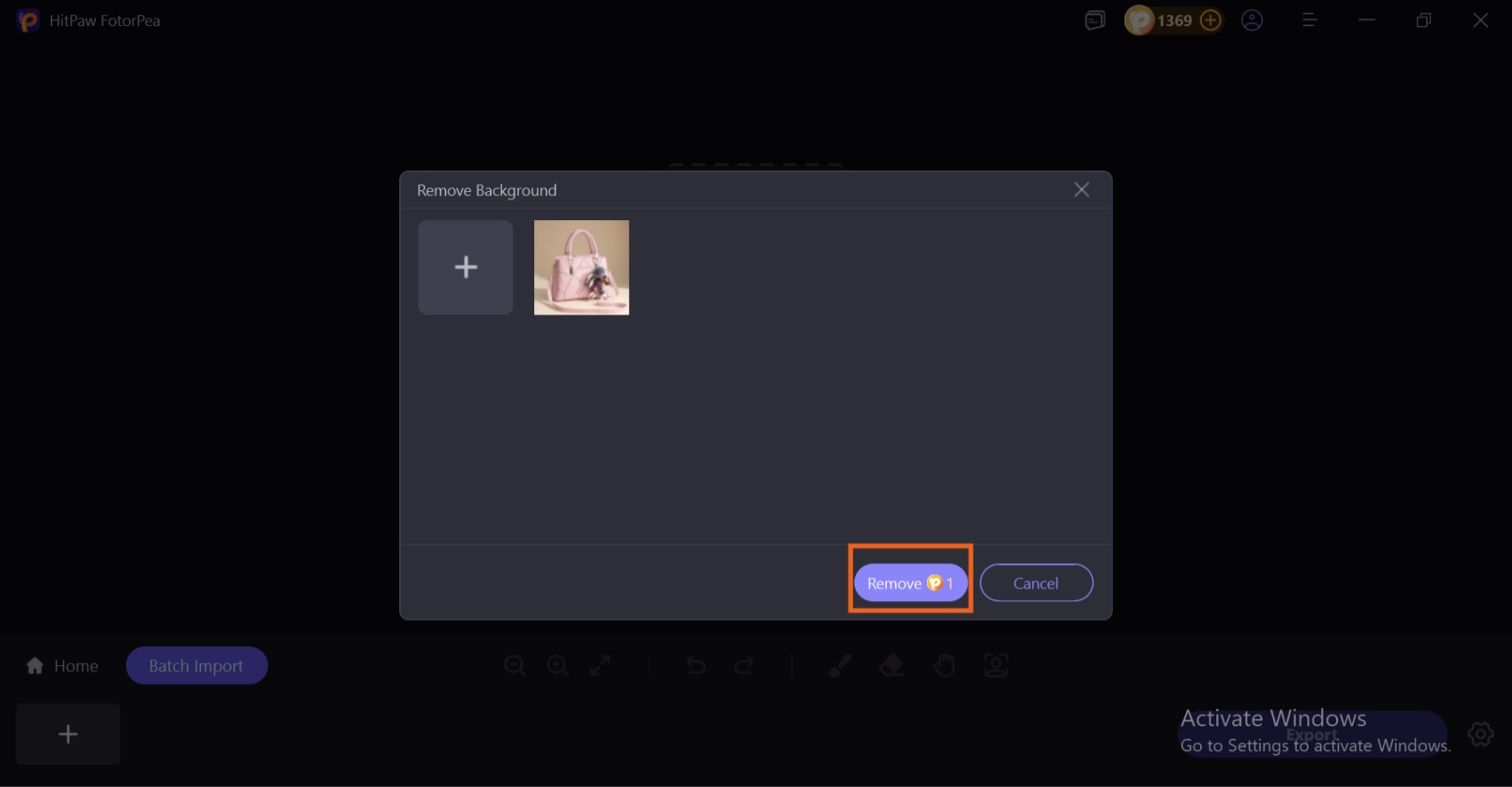
Step 3: Click on Remove
After importing your image, now you can simply click on remove to let FotorPea start its work.
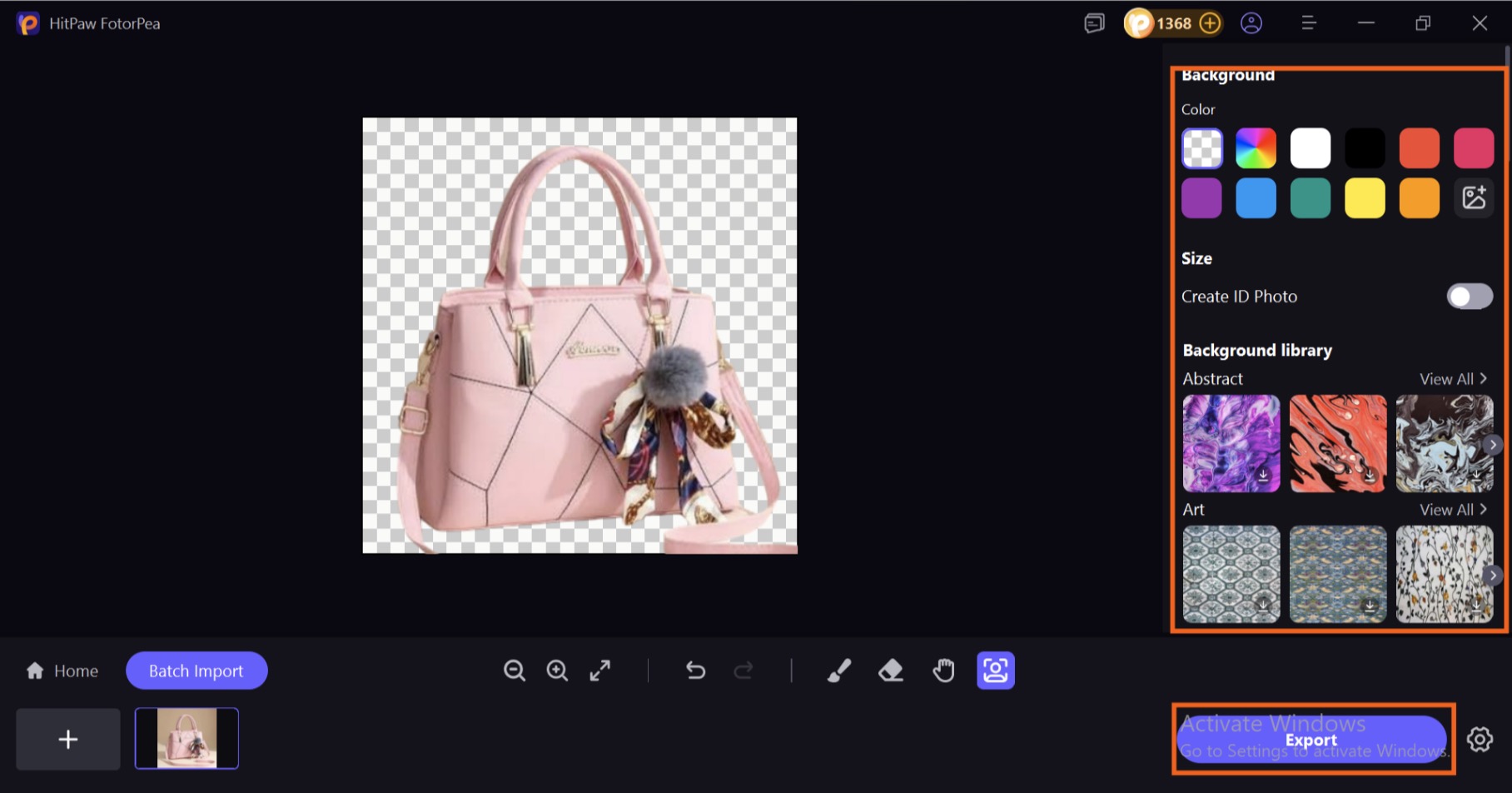
Step 4. Change background and Save your Image
Now you can change the background of your product from your right side and then click on Export to download your product image for uploading on Amazon & Shopify Listings.
Why HitPaw FotorPea Is the Best Choice for E-Commerce Sellers
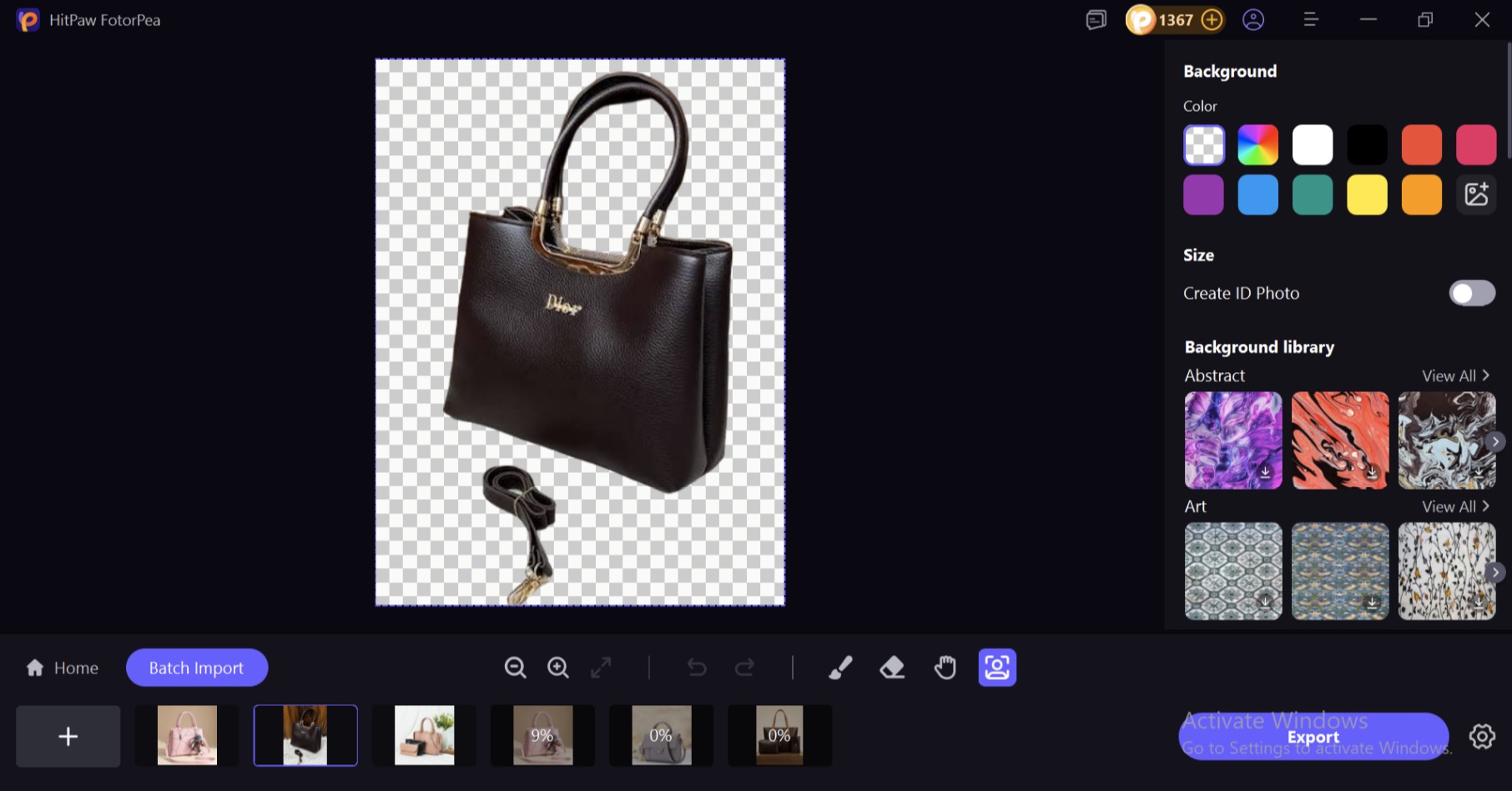
Batch Background Removal
Process an entire product catalogue in one go instead of editing images one by one. This is especially useful for sellers managing dozens or hundreds of SKUs. With FotorPea, the original image resolution is preserved throughout the editing process, preventing blurry, pixelated, or degraded results. Even tricky edges, such as clothing folds, layered jewellery, and semi-transparent materials, are handled cleanly for smooth, professional-looking cutouts.
Boost Resolution, Sharpness, and Colors with AI
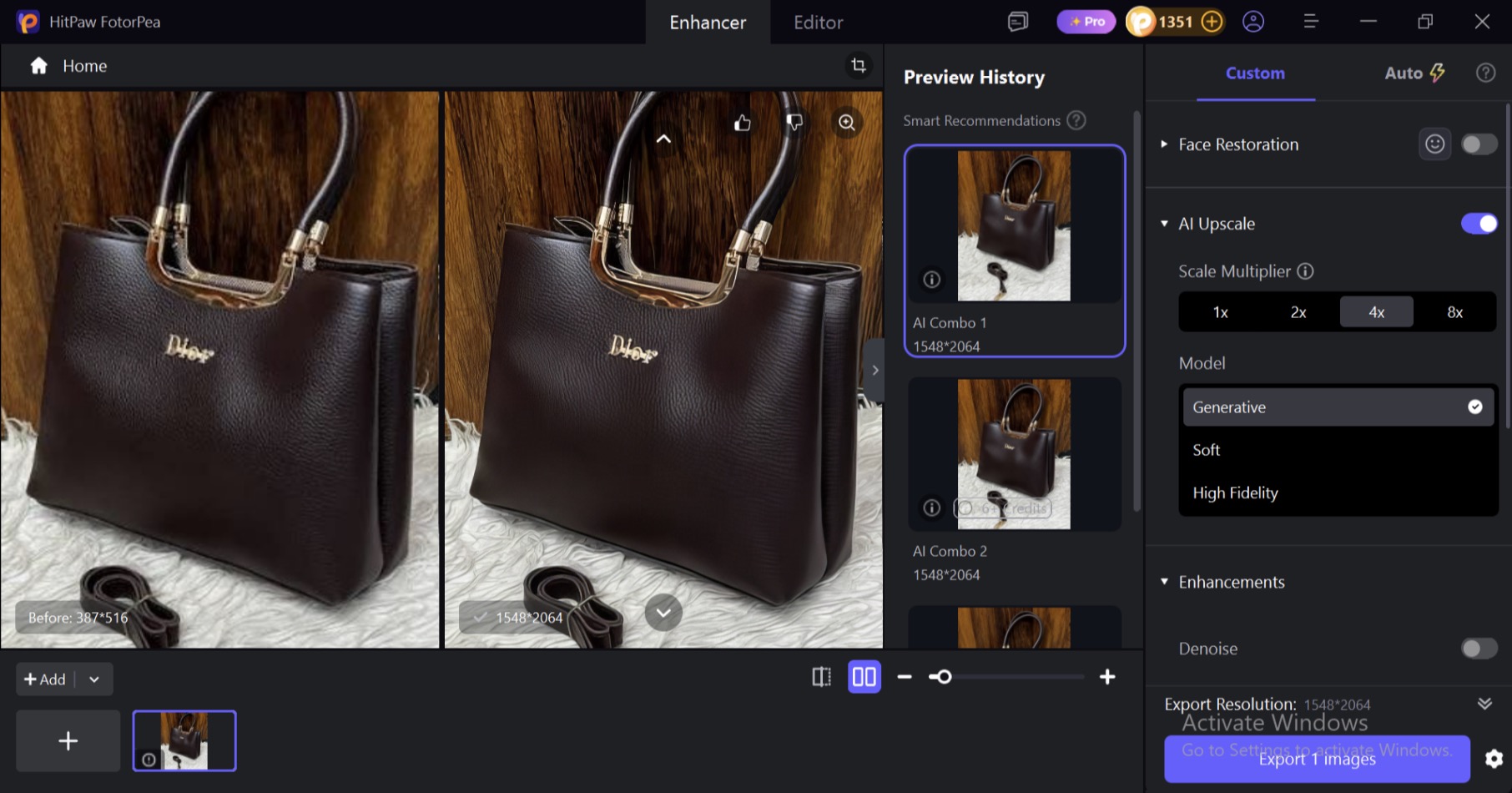
The AI Picture Enhancer can improve product photos with a single click, making them sharper, clearer, and more appealing to online shoppers. It can fix blurry images, reduce unwanted noise, enhance colours, and upscale product photos to 4K or 8K while keeping important details natural. This helps e-commerce sellers turn low-quality product images into polished visuals that look more professional across online stores and marketplaces.
Remove Unwanted Objects Naturally
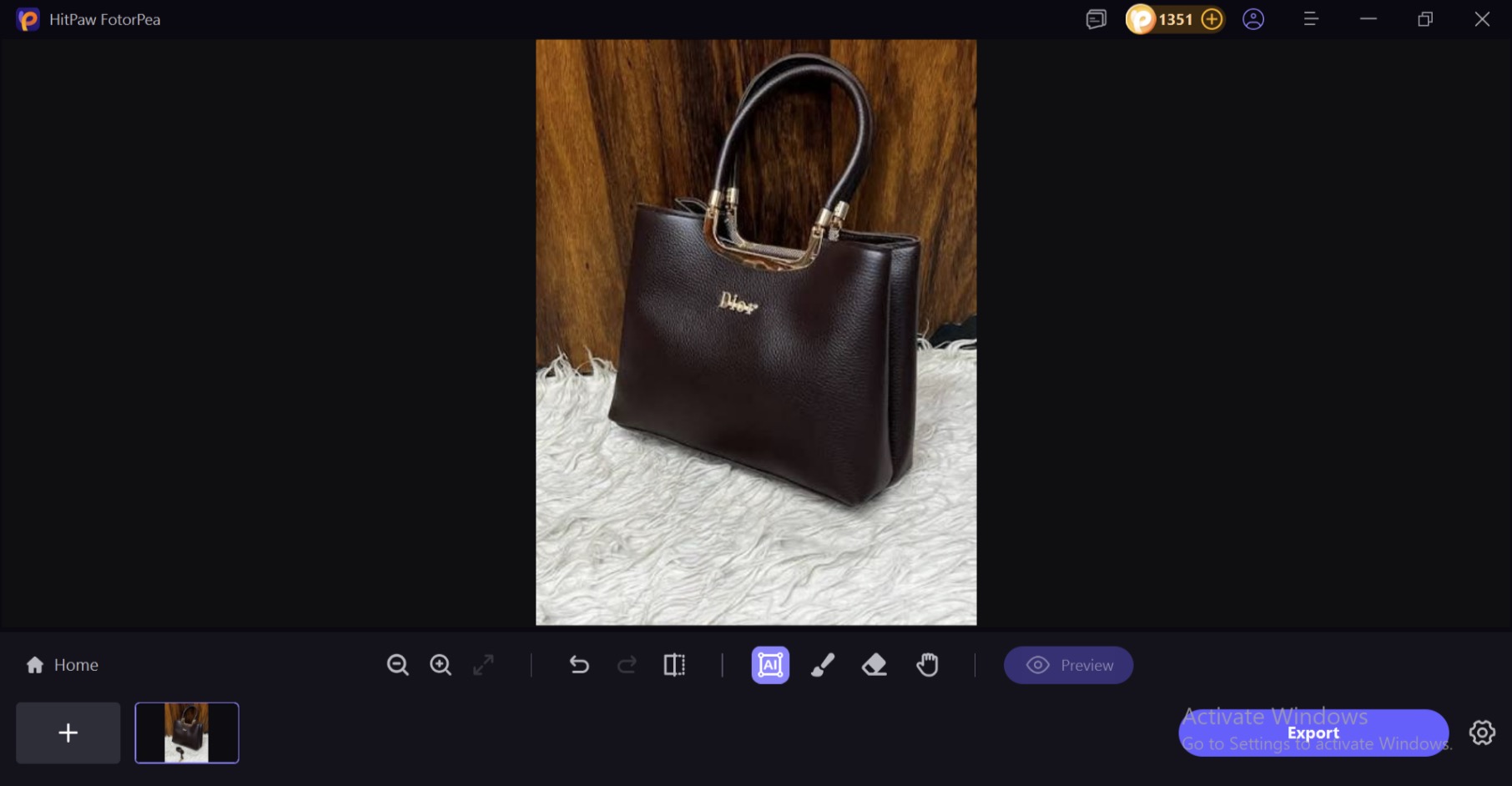
The Object Remover helps e-commerce sellers quickly remove unwanted objects, people, logos, or other distractions from product photos. It intelligently fills the selected area with a matching background, helping maintain a clean and professional look. This is useful for removing clutter from product images without making the edited area look obvious or poorly retouched as you can see the belt of the bag is clearly removed without any poor retouching.
Restore Old and Damaged Product Photos
The Image Restoration feature can help refresh old or damaged product photos before you reuse them in your online store. It improves faded colours, enhances clarity, and brings more detail back to vintage product images. This is useful for sellers who want to reuse older product photos without making them look overly edited or unrealistic.
Enhance Blurry Product Text
The Image Text Enhancer makes blurry or pixelated text on product images easier to read. It can sharpen labels, packaging details, product specifications, and promotional text, helping customers understand important information without struggling to read it. Clearer text can also make product listings look more professional and trustworthy.
Generate AI Product Images from Text Prompts
The AI Image Generator lets e-commerce sellers create product visuals by simply describing the scene they want. You can generate lifestyle images, promotional visuals, or different product settings without arranging an entire photoshoot. You can also modify existing product photos by changing elements such as the background, clothing, or overall setting.
Edit Product Images with AI Canvas
AI Canvas makes product image editing easier through simple text instructions instead of complicated editing tools. You can resize product images, expand backgrounds, remove unwanted objects, or create new visual elements by describing the changes you need. This can help online sellers prepare consistent, polished images for product pages, marketplaces, and social media.
Pro Tips for Amazon & Shopify Product Photography
Keep your images consistent:
Try to use the same background colour, lighting style, and aspect ratio across all your product photos. When some images are square, others are rectangular, and the backgrounds vary from pure white to off-white, your product catalogue can look messy and less professional.
Use natural-looking shadows:
A soft shadow can make a product feel more realistic instead of looking like it has simply been pasted onto a background. For Shopify product pages, adding a subtle shadow to a transparent PNG can give your images a cleaner and more polished appearance.
Keep file sizes under control:
Your product images should be sharp enough for customers to zoom in and see details clearly, but they shouldn’t be unnecessarily large. Huge image files can slow down your store and create a poor browsing experience. Compress your images enough to improve loading speed while keeping the quality sharp and professional.
Conclusion:
A clean product image can make a real difference in how shoppers view your brand and products. Whether you sell on Amazon, Shopify, or both, removing distracting backgrounds and keeping your visuals consistent can help your listings look more professional and trustworthy. HitPaw FotorPea makes the process easier with AI-powered background removal, image enhancement, object removal, and batch editing. Instead of spending hours editing each product photo manually, you can prepare polished visuals in much less time.
Ready to give your product photos a professional makeover? Try HitPaw FotorPea today and turn ordinary product images into scroll-stopping visuals!